The hard part of an editable table is knowing what changed
Putting an input in a cell is easy. Knowing which cells changed, refusing a bad value where it is typed, taking an edit back, sending only what changed and losing nothing when the server says no is the actual work.
 KanuniLabs6 min read
Editing is the feature people ask data grid libraries for most, and "how do I get the row's values after an edit?" is one of the most-read grid questions on Stack Overflow. The question is telling. Nobody struggles to put an input box in a cell. They struggle with what comes after it:
- Which cells did the user change, and what were they before?
- Is this value allowed, and how does the user find out it is not?
- Can they take an edit back?
- What do we send to the server, and in what shape?
- What happens to their work when the server says no?
This post walks through each one on a real order, with the React code. The demo has 240 order lines a UK online retailer sold to customers in France in the first week of December 2011, from the Online Retail II dataset. Its "server" is a function in the page that logs every request, so you can watch what a save sends.
Keep edits out of the data until Save
The first decision is where an edit lives before it is saved. The tempting answer is "in the row": the user types 24, you write 24 into the row object. Then Cancel has to remember that it used to be 10, and so does undo, and so does any code that asks "what changed?".
The grid does the opposite. Pending edits are held in a separate change store, keyed by the row's key, and your data is not touched until a save succeeds. Cancel is then just "drop the pending edits". Keying by row rather than by position means an edit stays on its record when the user sorts, filters or pages away and back.
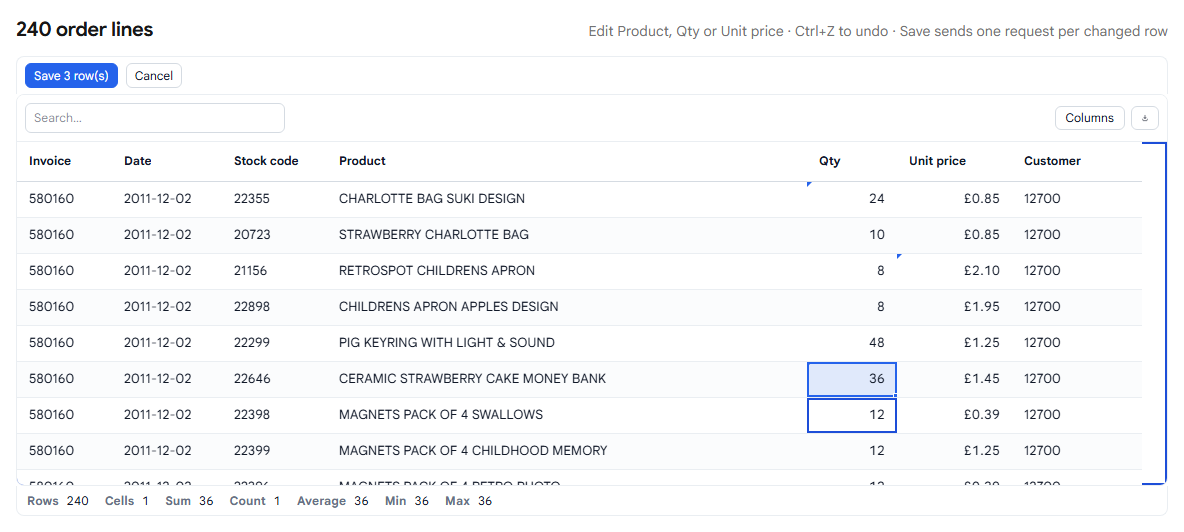
In batch mode, every change waits until the user presses Save, and the toolbar counts the rows that will be sent:
import { EnterpriseDataGrid } from '@kanunilabs/datagrid-react-enterprise';

<EnterpriseDataGrid
  dataSource={orders}
  rowKey="id"
  columns={columns}
  toolbar
  editing={{
    mode: 'batch',
    allowUpdating: (row, columnId) => ['description', 'quantity', 'price'].includes(columnId),
    rules,
    crud: { update },
  }}
/>
Refuse a bad value where it is typed
Rules are declared per column and checked as the user types, and again on save:
const rules = {
  description: [{ type: 'required', message: 'A product needs a name' }],
  quantity: [
    { type: 'range', min: 1, message: 'Quantity must be at least 1' },
    { type: 'custom', validate: ({ value }) => Number.isInteger(Number(value)) || 'Quantity must be a whole number' },
  ],
  price: [{ type: 'range', min: 0.01, message: 'Price must be above zero' }],
};
Type −5 into a quantity and the editor refuses to close, with the reason under the cell:
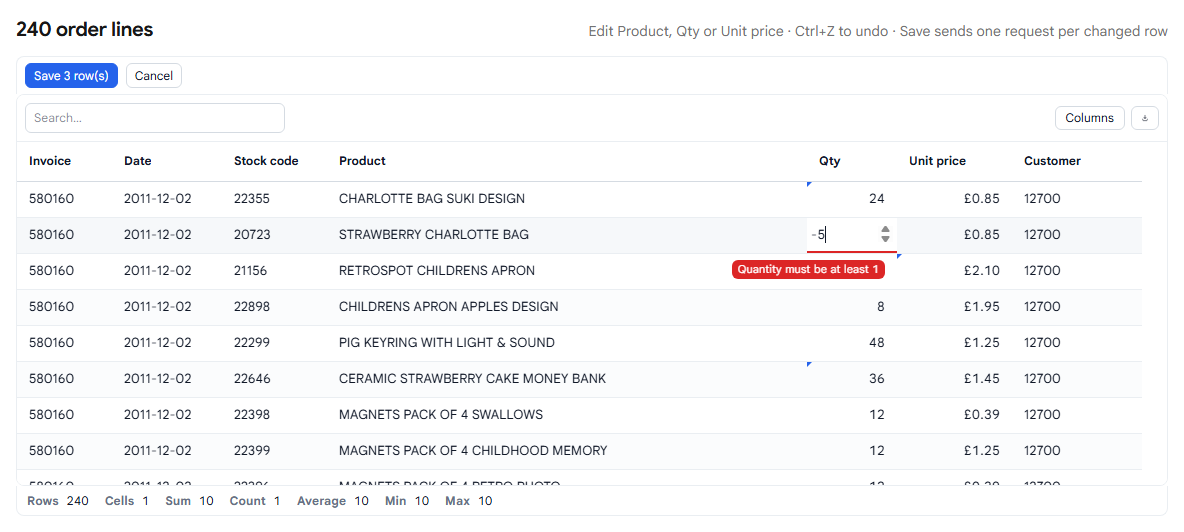
The message is the part we nearly got wrong. While taking the screenshots for this post we found that it was rendered in the right place and never seen: the cell clips anything that overflows it, and the next row is drawn on top of the one being edited. The user got a red underline and no reason. It is fixed in @kanunilabs/datagrid-react-enterprise 1.3.2, released on 1 October.
Take an edit back
Ctrl+Z undoes and Ctrl+Y redoes. Each step is one user action, not one cell: undoing a paste of 200 cells undoes the paste, not one cell of it. The history keeps the last 100 actions by default, and it is a public API (undo(), redo(), canUndo()), so a toolbar button can use it too.
Send only what changed
When the user presses Save, the grid calls your handler once per changed row, with the changed columns only:
const update = async (key, values, row) => {
  const res = await fetch(`/api/orders/${key}`, {
    method: 'PATCH',
    body: JSON.stringify(values), // { quantity: 24 }, not the whole row
  });
  return res.json(); // the stored row
};
That is the shape a REST endpoint or an UPDATE … SET wants. With three edits in three rows, the demo's log shows three requests, each carrying one field:
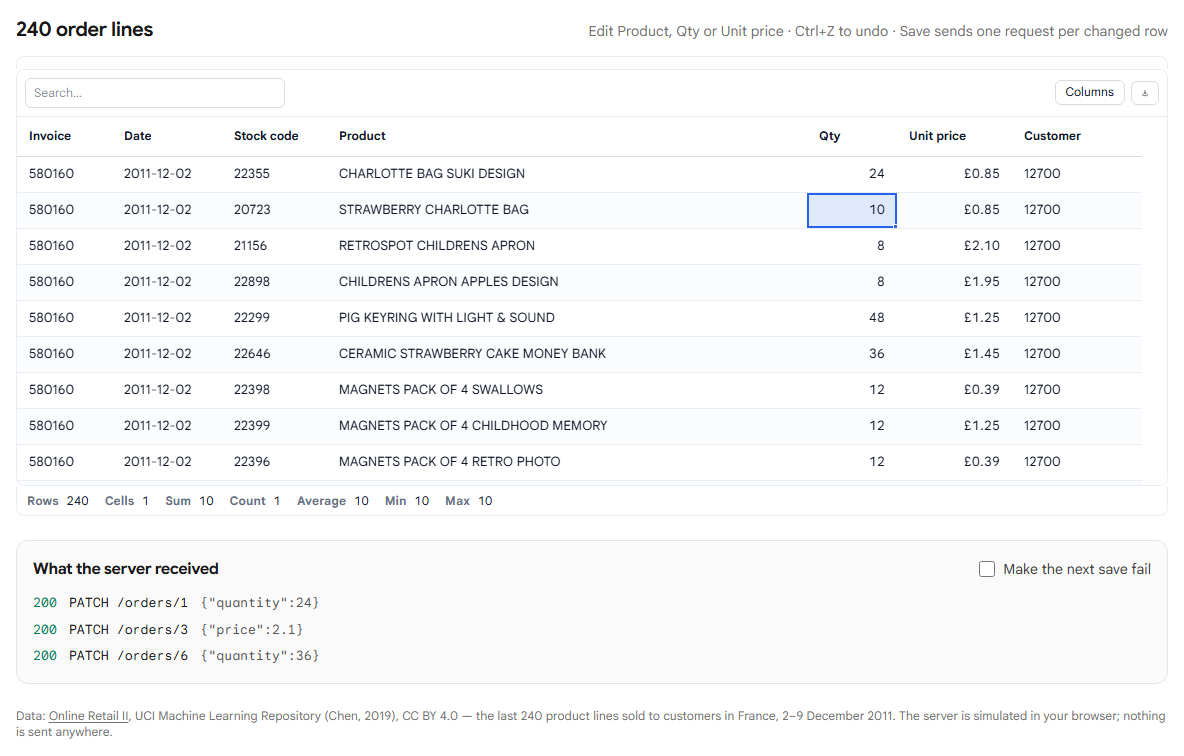
The handlers run one at a time: inserts first, then updates, then removes, so a back end with foreign keys sees a parent row before the child that refers to it. Saves themselves also run one at a time. Two saves in quick succession used to snapshot the same pending edit and send it twice; the second save now waits for the first.
The return value matters
The comment on that return res.json() line is there because the demo got it wrong first. The grid does not write your data on its own. If update returns the stored row, the grid adopts it, including anything the server computed. If it returns nothing, the grid clears the pending edit and leaves your data alone, so the cell shows the old value again. Our first version of the demo returned nothing, and every save looked like it had been thrown away.
If your endpoint answers with no body, return { ...row, ...values }, or update your own state after the save.
When the server says no
Tick "Make the next save fail" in the demo, change two rows and save. The first request comes back with a 500:
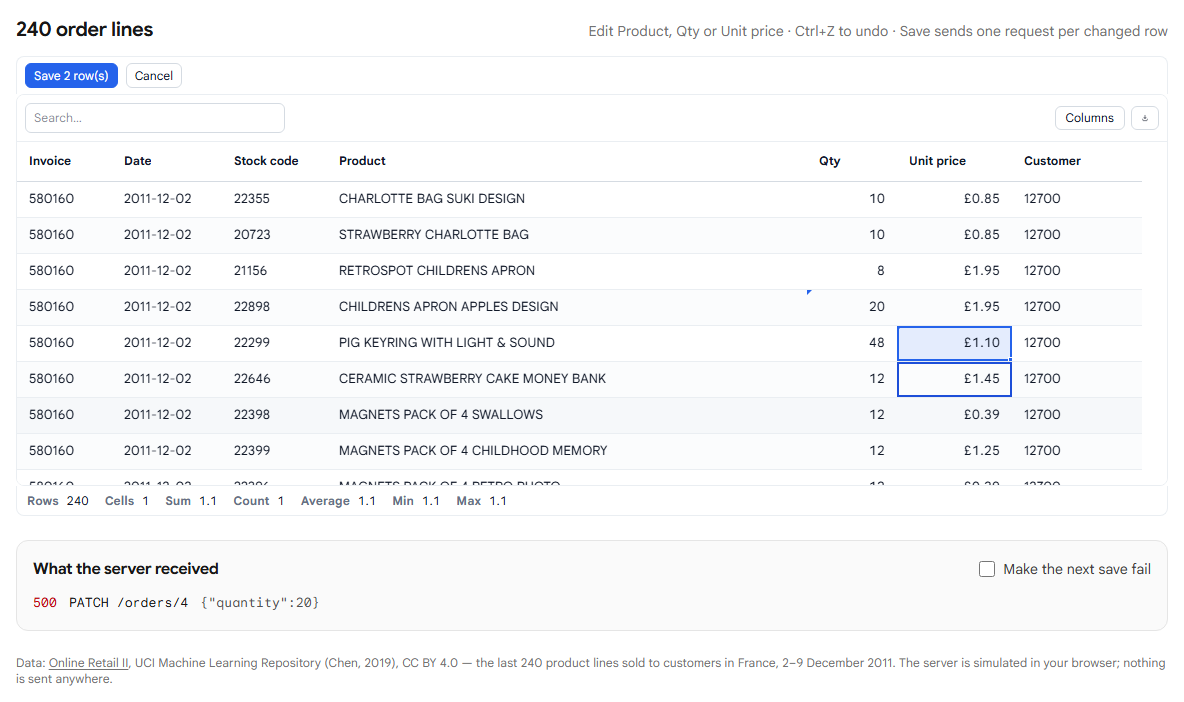
One rejected request fails the whole save. Every edit stays pending, still marked, still counted on the Save button, so the user can try again without retyping anything.
There is a limit to this, and it is worth stating plainly: requests that already succeeded before the failing one are not rolled back. The grid does not know how to undo a write on your server, and pretending otherwise would be worse than saying so. If a batch has to be all or nothing, use onSave, which receives every change in one call, and make your endpoint transactional.
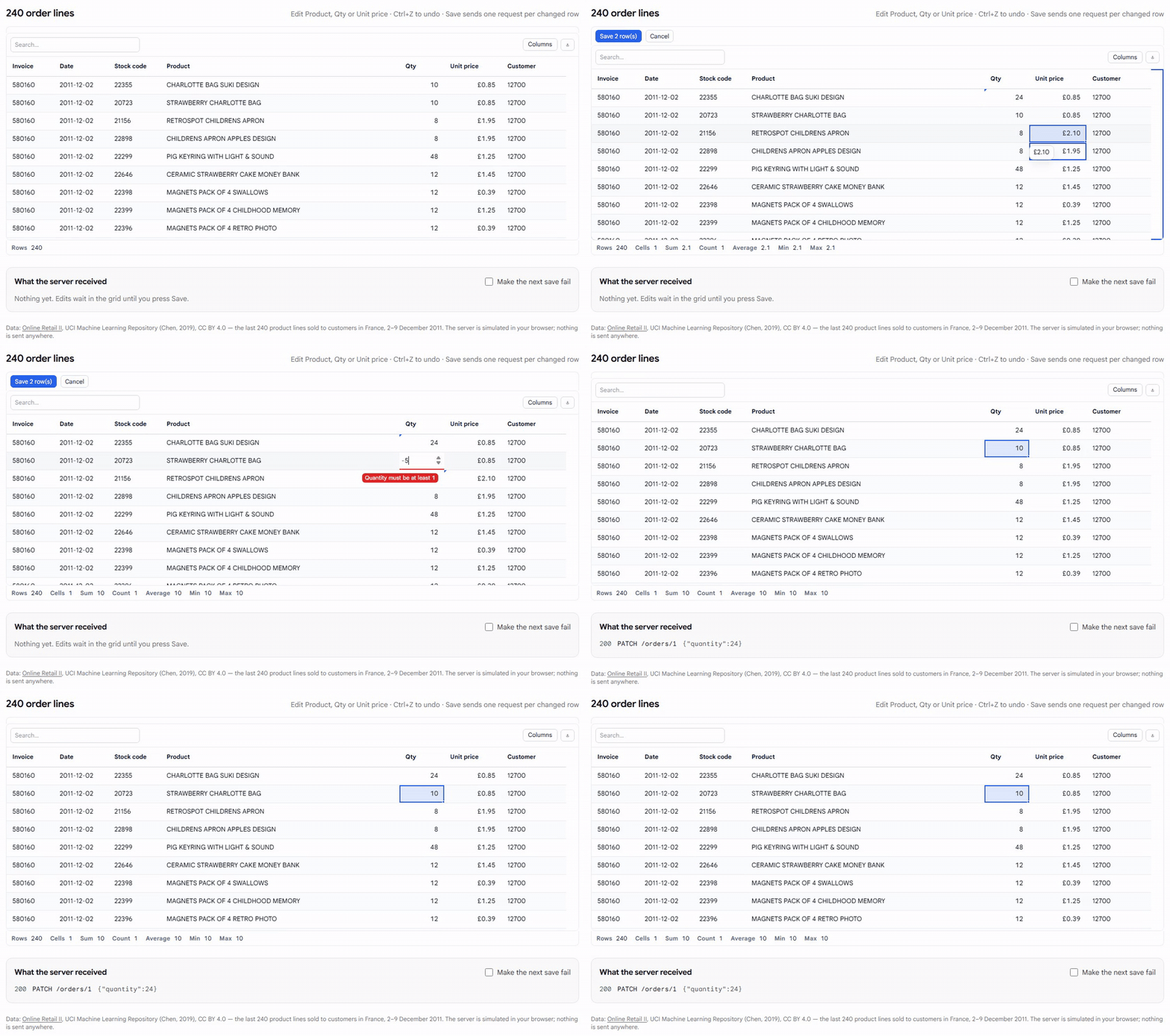
All of it in one take: an edit, a second edit, a refused value, undo, and a save that sends only what was left:
What this costs
- It is paid. Editing, validation, undo and the CRUD handlers are in the Enterprise edition of the grid. Without a licence key it runs with a watermark, so you can try everything here first. The read-only grid, sorting, filtering and the rest are in the free Community package.
- Pending edits live in the page. They are held in memory until saved; this demo does nothing to keep them across a reload.
- Partial batches are possible with per-row handlers, as above. That is the trade for sending the shape a REST API wants.
Try it
The demo is at /demos/order-editing, and /demos/order-editing?fail=1 opens it with the failing server switched on. The editing docs cover the other modes (cell, row, form and popup), the CRUD handlers and every rule type.
Data: Online Retail II, UCI Machine Learning Repository (Chen, 2019), CC BY 4.0.
Disclosure: this article was drafted with AI assistance. The demo and every behaviour described were checked against our packages and the published dataset in October 2026.